Plan the listing set.
Put coming-soon, open-house, price-change, under-contract and sold posts on the calendar for each property, and drag them when dates move.
For a real estate team, Postqued puts new-listing, open-house, price-change and sold posts in one shared calendar. Each post waits for a lead agent or broker to approve the exact caption, then publishes to Instagram, Facebook, TikTok, LinkedIn, YouTube Shorts and more. The Pro plan is $49/month for 30 accounts with unlimited team seats, so adding an agent does not add a monthly fee.
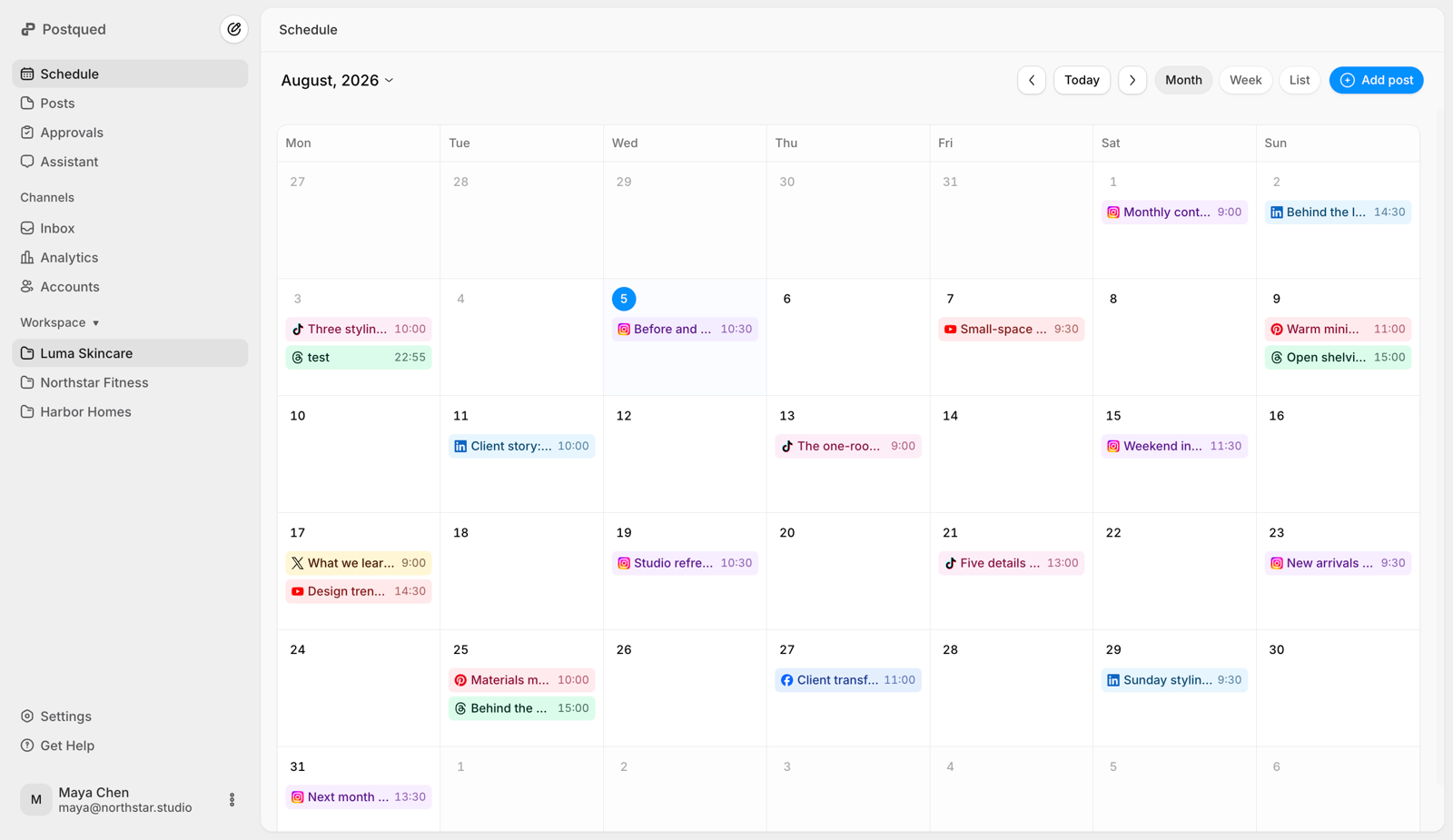
Plan and publish across ten social platforms from the same workspace










Treat each listing milestone as a set of posts: coming soon, just listed, open house, price change, under contract, sold. In Postqued, the agent creating the listing drafts those posts, submits them for review, and the lead agent or broker checks the price, dates, links and any required disclosures before they are scheduled.
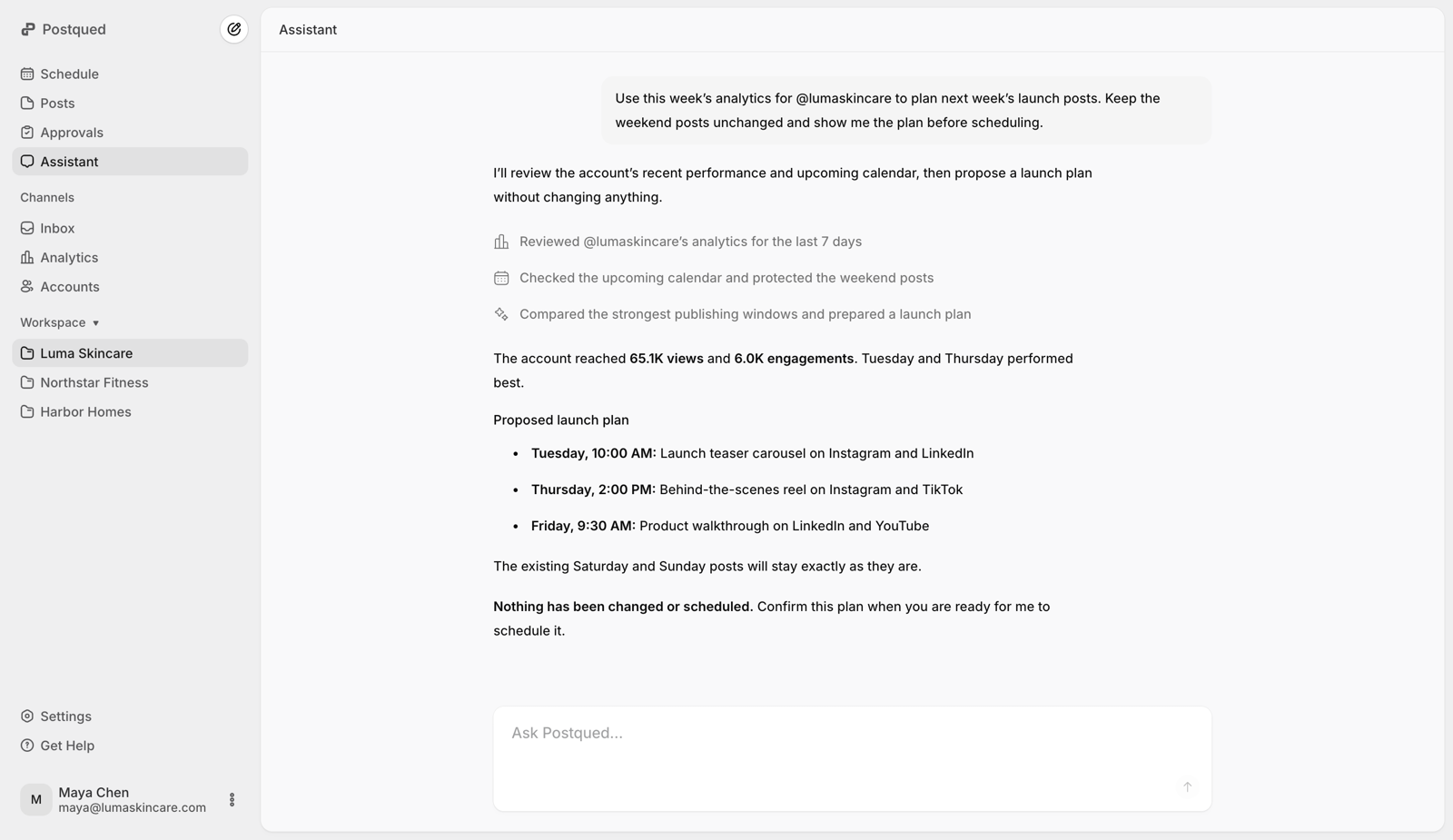
Postqued does not have post templates or duplication yet, so each post in the set is created on its own. If you use an AI agent, it can create the whole set for you through Postqued's MCP server, and the posts still wait for approval.
Put coming-soon, open-house, price-change, under-contract and sold posts on the calendar for each property, and drag them when dates move.
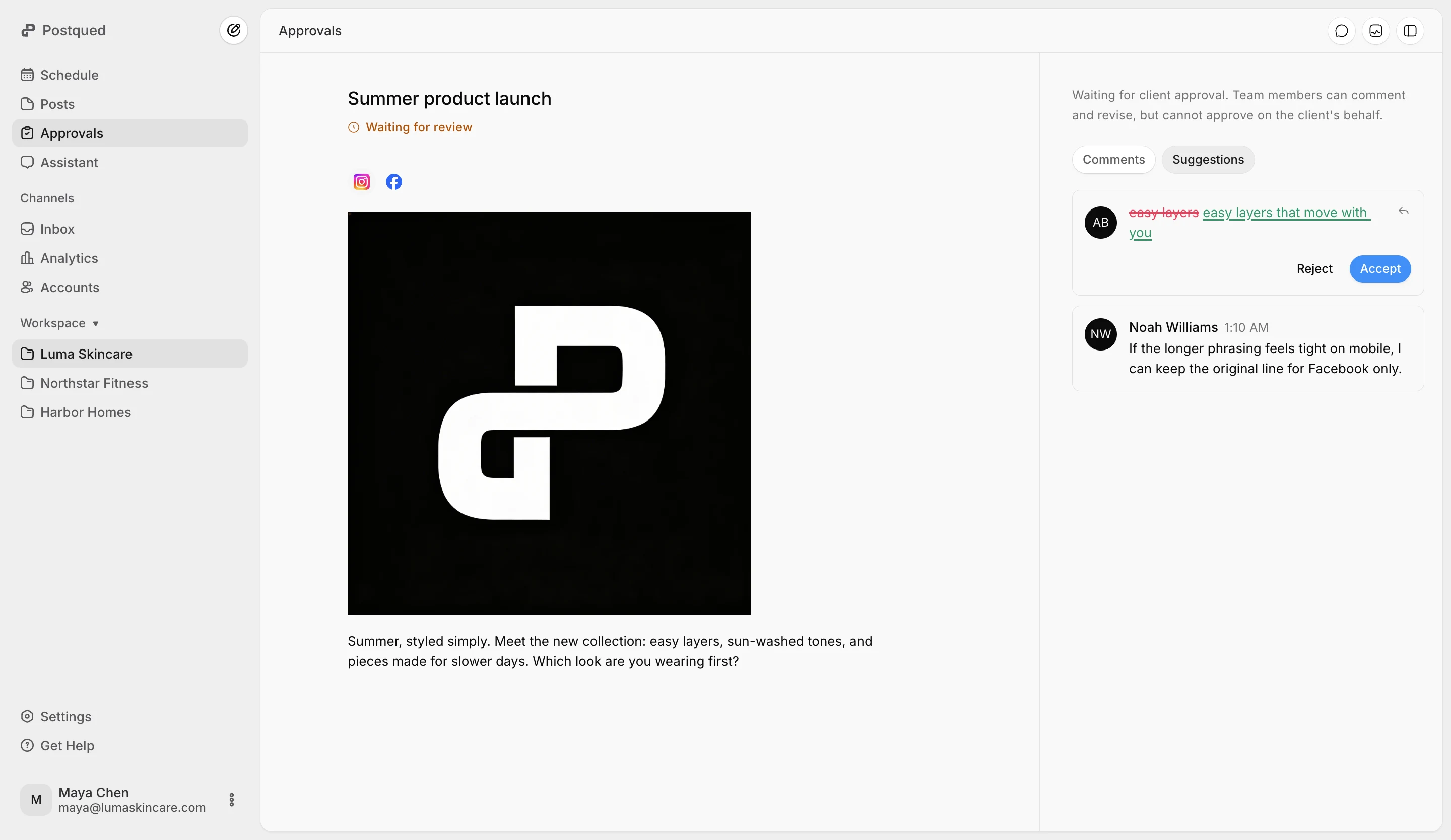
Comments, caption suggestions and approval stay attached to the exact revision. If the price or open-house time changes after approval, the post needs approving again.
Pro includes unlimited workspaces and team seats. Each agent's or office's accounts, drafts and reviewers stay in their own workspace.
Agents with the editor role draft and submit posts. A lead agent or broker reviews them: they can comment, suggest caption edits, request changes or approve. Approval becomes mandatory when a reviewer is assigned to the post or the workspace has a client reviewer, such as a seller or a brokerage marketing contact. Team admins can still publish directly. Everyone who reviews signs in with Google or email; there is no approve-by-link.
Prices below are for a team, since that is where the tools differ most.
| Tool | Team pricing | Approvals | Entry price | Worth knowing |
|---|---|---|---|---|
| Postqued | Pro $49/mo ($39 yearly): 30 accounts, unlimited seats and workspaces | Every plan | $9/mo Solo, one user | No Google Business Profile, DMs, MLS or CRM |
| Buffer | Team $12 per channel/mo with unlimited users; 20 channels is $160/mo | Team plan | Free for 3 channels; Essentials $6 per channel/mo | Billed per connected channel |
| Hootsuite | Priced per user on self-service plans; monthly price not shown on the public plans page | Advanced and Enterprise | Verify at signup; 10 accounts on Standard | Adds DMs, listening and ads |
| Later | Growth $50/mo, Scale $110/mo | Growth and Scale | Starter $25/mo, one user, 30 posts per profile | Link in Bio; one profile per network in each social set |
| SocialPilot | Unlimited seats only on Ultimate ($200/mo) and Enterprise | Standard ($40/mo) and above | Essentials $20/mo for 5 accounts | Lists Google Business Profile; DM inbox |
Choose Postqued when several agents share one calendar with approvals and you want a flat $49/month instead of paying per user or per channel. Choose SocialPilot if you need to post to Google Business Profile or answer DMs from the same tool, Hootsuite if you need listening and a full customer-care inbox, and Later if one person runs an Instagram-first account and wants Link in Bio.
Competitor details come from Postqued's comparison data, reviewed 6 August 2026. Prices are month-to-month list prices from the linked vendor pages; confirm them there before you decide.
The Postqued functionality stays the same for every team: one calendar, review trail, publishing record, supported analytics, and optional agent access.
Keep drafts, dates, destinations, platform options, and publishing status in the same working view.
Feedback, revision history, change requests, and approval decisions stay with the work instead of disappearing into a separate thread.
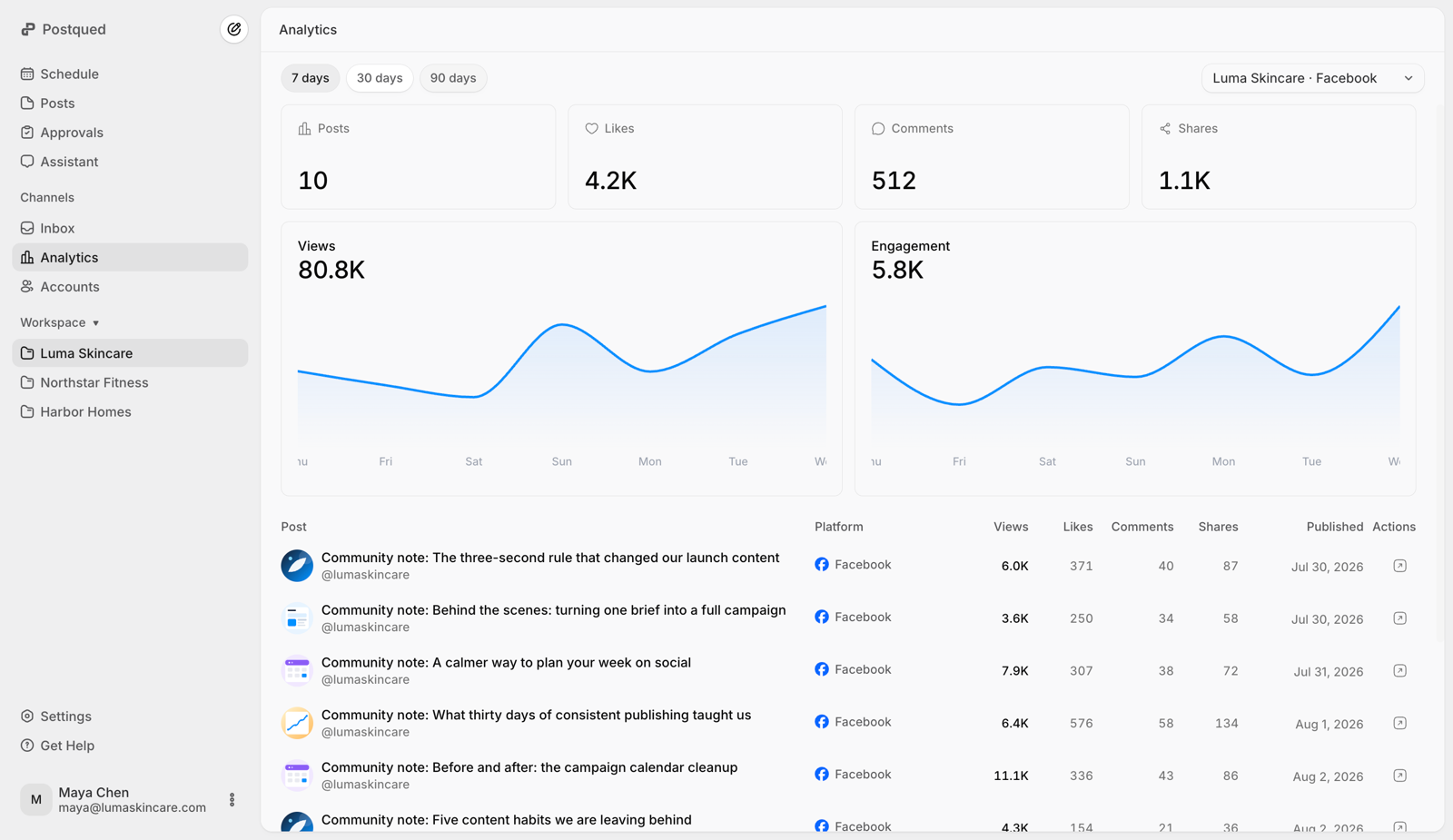
Review supported account and post analytics beside the publishing workflow, so results can inform what you plan next.
A compatible agent can prepare a sequence, upload approved media, validate network payloads, schedule confirmed work, and inspect status. Licensed professionals remain responsible for facts, rights, disclosures, and final approval.
Postqued fits agents, teams, and brokerages that want one shared calendar and a review step for every listing milestone.
One calendar, unlimited posts, 10 networks, drag to reschedule.
Check first: No templates, post duplication or posting queues.Editor, reviewer and admin roles; comments, suggestions and revision-bound approval.
Check first: No legal, fair-housing or advertising compliance review.Reply to, hide or delete comments on Facebook, Instagram and Threads.
Check first: No DM inbox, CRM, MLS syndication or Google Business Profile. LinkedIn comments are read-only.Start a seven-day trial and organize listing content across the social channels your team already manages.
Pick one where every agent can draft, a lead can approve, and the price does not rise with each agent. Postqued's Pro plan is $49/month for 30 accounts with unlimited seats and approvals, publishing to Instagram, Facebook, TikTok, LinkedIn, YouTube Shorts, X, Threads, Pinterest, Bluesky and Mastodon. SocialPilot is a better fit if you also need Google Business Profile posts or a DM inbox.
Not yet. Postqued has no post templates or duplication, so each post is created on its own. An AI agent connected through MCP can create a full set of listing posts for you, and they still wait for approval.
Yes. On Pro and Agency, give each agent or office a workspace. Connected accounts, drafts and reviewers stay in that workspace.
Yes. Invite them as a reviewer on the post or the workspace. They sign in with Google or email to approve, and the post cannot be scheduled until they approve the current version, unless a team admin publishes it.
No. There is no MLS syndication, listing import, lead routing or CRM.
No. Postqued handles comments on Facebook, Instagram and Threads, but it has no DM inbox and does not publish to Google Business Profile.
Pro is $49/month, or $39/month billed yearly, for 30 connected accounts with unlimited seats and workspaces. Agency is $199/month for unlimited accounts. Solo ($9) and Creator ($29) are for one person. There is a 7-day trial that needs a card, and no free plan.