7 Best Planly Alternatives in 2026
Postqued is the best Planly alternative for most teams: unlimited posts on all 10 platforms, revision-aware approvals on every plan, and REST API plus MCP access from $9/month with a 7-day free trial. Planly only adds approvals on its $80 Agency plan. Postqued includes them from Solo.
Planly still wins if you rely on its built-in media editor and AI credit bundle.
What are the best Planly alternatives?
| Product | Starting price | Best for | Key limit |
|---|---|---|---|
| Postqued | $9/month | Publishing, approvals, API and MCP | No listening or DMs |
| Buffer | Free; $5/channel/month billed annually | Simple queues and API | Cost rises per channel |
| Pallyy | Free; Pro $25/month | Visual Instagram planning | Free plan: 15 image posts/month |
| Metricool | Free; Starter from $25/month | Analytics and competitors | API starts on Advanced |
| SocialBee | $29/month | Evergreen category queues | No public API |
| OneUp | $25/month | Repeating posts and RSS | 300 posts on Starter |
| Nuelink | $18/month | Source automations | Approvals marked “Soon” |
How much does Planly cost?
Planly’s pricing page lists three plans, each with a 14-day trial:
- Individual: $15/month, 4 channels, 1 user, 100 scheduled posts per channel.
- Team: $40/month, 8 channels, 4 users, unlimited scheduling.
- Agency: $80/month, 16 channels, 8 users, unlimited scheduling, Approval Flow, 1,000 AI credits, roles, and CSV upload.
Planly supports 10 networks, media editing, unlimited storage, AI assistance, analytics, reports, and first-comment scheduling. API access is on paid plans but not during the trial. Check the checkout total for annual pricing.
1. Postqued: best for approvals and automation on every plan

Postqued gives you the approvals Planly reserves for Agency, starting at $9/month. It publishes to TikTok, Instagram, YouTube Shorts, Facebook, LinkedIn, Pinterest, Threads, Bluesky, Mastodon, and X with no post caps.
Teammates can comment and suggest caption edits, and you can invite external reviewers by email. Approvals are revision-aware: the approved snapshot is what publishes. First comments work on Instagram, Facebook, Threads, LinkedIn, X, and Mastodon. The Engagement Inbox handles comments and replies on Facebook, Instagram, Threads, X, LinkedIn, and Mastodon.
Every plan includes the REST API and a 62-tool MCP server. Planly Agency costs $80/month for 16 channels to unlock approvals; Postqued Creator covers 20 accounts with approvals for $29. Solo is $9 for 5 accounts, Pro $49 for 30 with unlimited seats, and Agency $199 for unlimited accounts. Every plan has a 7-day free trial. Postqued has no media editor, listening, or DMs.
See Postqued pricing or compare Postqued vs Planly.
2. Buffer: best for a straightforward queue and GraphQL API
Buffer’s free plan connects three channels, holds 10 scheduled posts per channel, and includes one API key with 3,000 requests a month. Essentials is $5 per channel per month billed annually with unlimited posts and three API keys. Team is $10 per channel and adds unlimited users and approvals.
Its GraphQL API works on every plan, and Buffer advertises an MCP server. Costs grow with each added channel.
Choose it for a clean queue across a few channels. See Buffer pricing.
3. Pallyy: best for visual planning and Instagram work
Pallyy combines a content calendar, Instagram grid preview, link-in-bio pages, analytics, approvals, and an inbox. Free includes one social set and 15 scheduled image posts a month. Pro is $25/month for one social set, unlimited posts, approvals, and inbox tools.
Extra social sets cost $10/month, and team invites start on Agency. Pallyy has no public API or MCP server.
Choose it when Instagram-specific planning matters most. See Pallyy pricing.
4. Metricool: best for analytics and reporting
Metricool is built around planning, analytics, reports, ad data, and competitor tracking. Free covers one brand, 20 posts a month, and 30 days of analytics, without LinkedIn or X.
Starter begins at $25 monthly for up to five brands with unlimited publishing and reports. Advanced begins at $67 monthly and adds team management, approvals, and Looker Studio. MCP is on every plan, including Free. The API is on Advanced and Custom only.
Choose it when reporting depth is why you are leaving Planly. See Metricool pricing.
5. SocialBee: best for category queues and recycling

SocialBee sorts posts into categories, fills queues from them, and recycles evergreen content. Bootstrap is $29/month for 5 profiles and 1 user. Accelerate is $49 for 10 profiles with bulk editing, CSV uploads, and approvals.
Its help center confirms there is no public API.
Choose it when you need a reusable evergreen library. See SocialBee pricing.
6. OneUp: best for recurring posts, feeds, and bulk work
OneUp combines repeating posts, queue schedules, RSS automation, bulk uploads, an inbox, listening, reports, and API or MCP access. Starter is $25 monthly or $15/month billed annually for 5 accounts and 300 posts. Intermediate is $60 monthly for 15 accounts and unlimited posts.
It has no built-in media editor like Planly’s.
Choose it when automatic repetition and feeds matter most. See OneUp pricing.
7. Nuelink: best for source-based automations
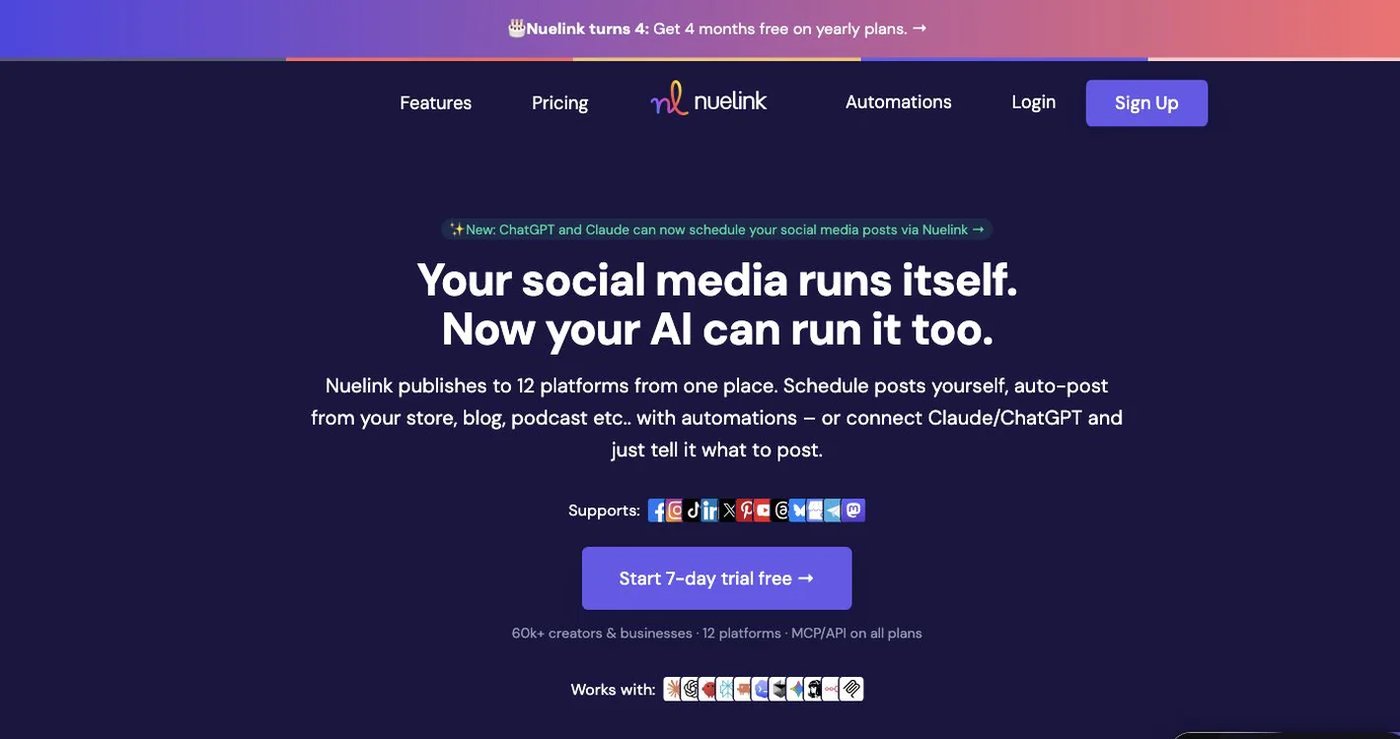
Nuelink turns RSS feeds, blogs, podcasts, stores, and reviews into scheduled posts. Standard is $18/month for 1 brand, 10 channels, 10 automations, 365 queued posts, and API and MCP access. Premium is $48/month with higher limits and no queue cap.
Its approval workflow and branded reports are marked “Soon.”
Choose it when content sources should fill your queue automatically. See Nuelink pricing.
How do you choose a Planly alternative?
- List every account, network, and post format you use.
- Mark which Planly features you must keep, such as media editing or reports.
- Price your real number of channels, users, and brands.
- Rebuild a small batch with your hardest format and one approval.
- Test the exact API or MCP action you need.
- Keep Planly active until the sample publishes correctly.
Which Planly alternative should you choose?
Postqued is the right pick for most teams that want approvals, unlimited posts, comment replies, and API plus MCP access without paying for Planly’s Agency tier. Choose Pallyy for Instagram grid planning, Metricool for analytics, OneUp or SocialBee for evergreen recycling, and Nuelink for source automations.
Primary sources
- Planly pricing and plan limits, Planly FAQ, and Planly API documentation
- Buffer pricing and Buffer GraphQL API
- Pallyy pricing and limits
- Metricool pricing
- SocialBee pricing and public API status
- OneUp pricing and features
- Nuelink pricing and feature status
Get approvals without Planly’s Agency tier on Postqued Creator at $29/month, starting with a 7-day free trial: See Postqued pricing.